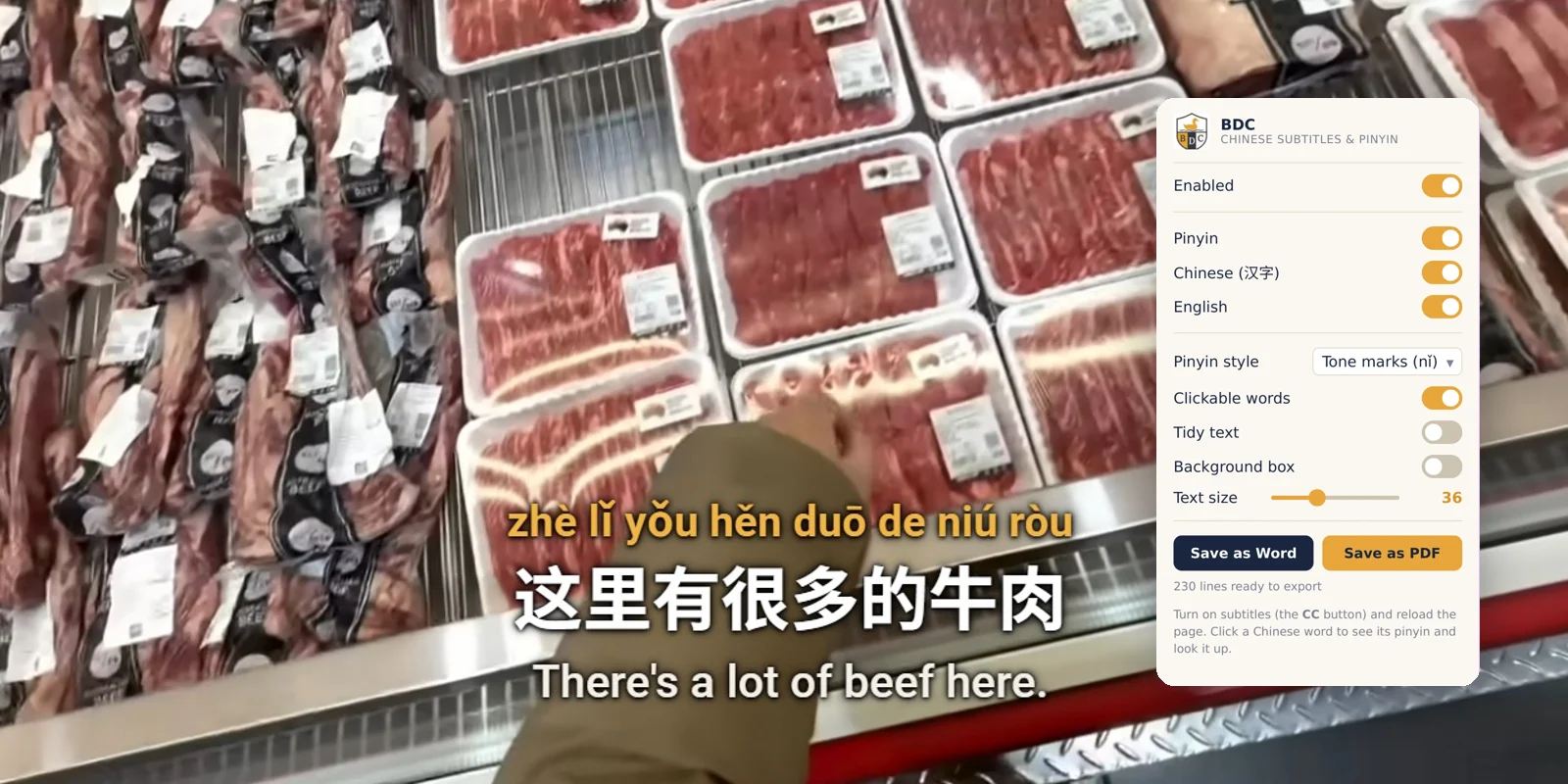
Watching real Chinese videos is one of the best ways to learn, but it usually comes with a frustrating trade-off. Turn on Chinese subtitles and you can't follow the meaning. Turn on English and you never learn the characters. Pause to look up a word and you lose the thread of what's being said.
So we built a tool that removes that trade-off. BDC Chinese Subtitles is a free Chrome extension that turns the Chinese videos you watch on YouTube into structured, reviewable lessons, the same way we teach: through real, understandable input.
Why we built it
Our teaching is built on comprehensible input: you learn a language by understanding messages, not by memorising rules. Video is perfect for that, as long as you can actually understand what you're hearing. The missing piece was a way to see pronunciation, characters and meaning at the same time, without breaking your flow.
We also made one deliberate choice that sets this tool apart. Many learning videos repeat words and phrases on purpose, because repetition is how things stick. Our subtitles keep that repetition exactly as it's spoken, instead of "tidying it away". What you read matches what you hear.
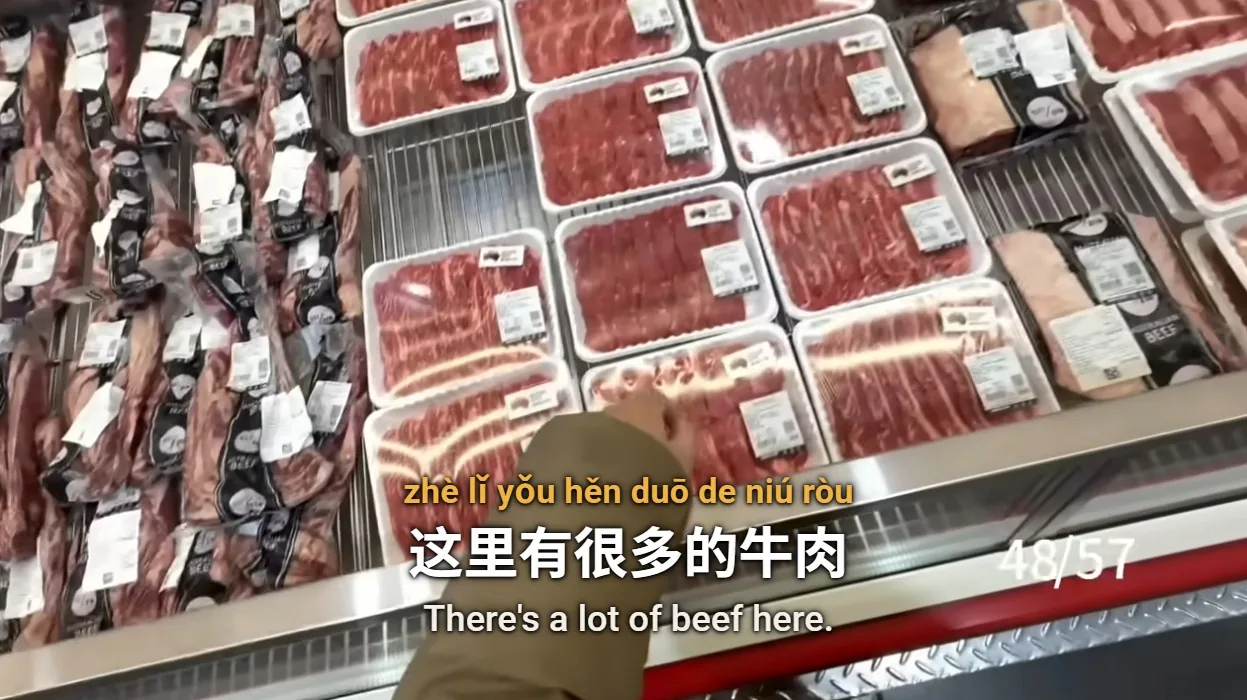
Three subtitles, one glance
Every line of dialogue appears three ways at once, perfectly in sync with the video:
② Characters (汉字) — the real written language, exactly as it's used.
③ English — so you follow the meaning without stopping.
You read the story in English, check the sounds in pinyin, and slowly start recognising the characters, all in the same moment. As you improve, you simply switch off the lines you no longer need.
Tap any word, see what it means
Don't know a word? Hover over any character and its pinyin and English meaning appear instantly. Click it for a fuller dictionary entry, with one-tap links to MDBG and Wiktionary if you want to dig deeper. The dictionary holds more than 100,000 entries and works completely offline, so lookups are instant and nothing leaves your computer.
Make it yours
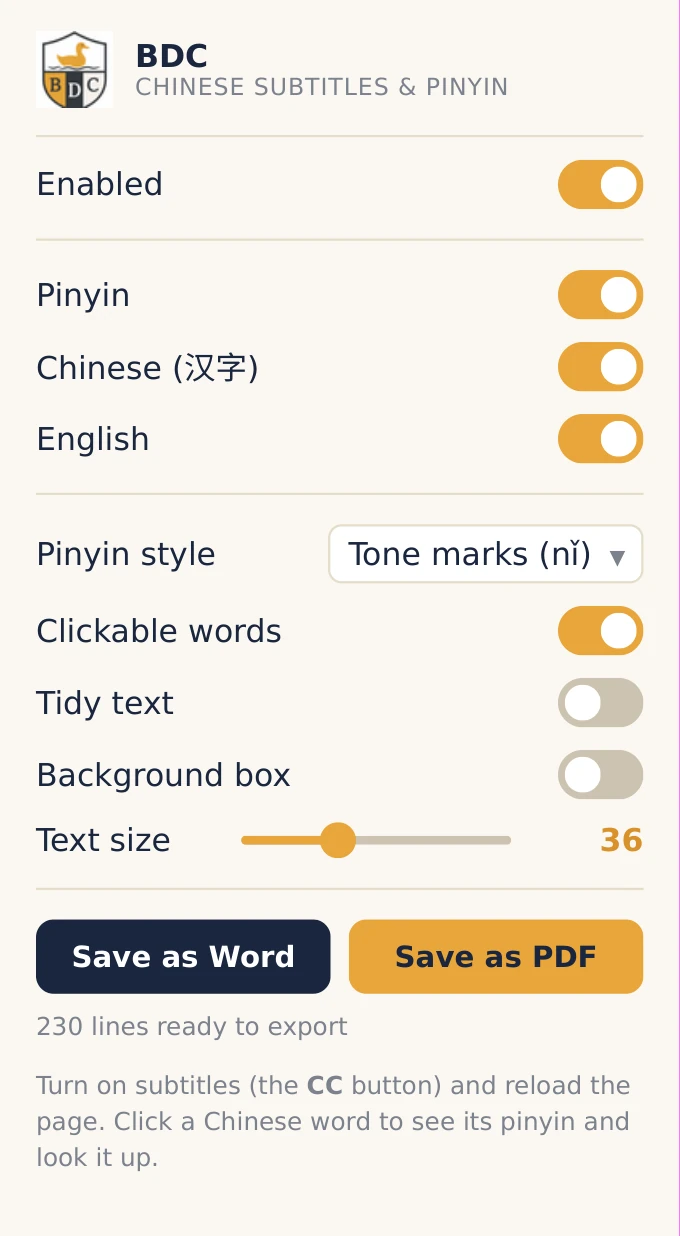
Everyone studies differently, so the tool bends to fit. You can:
• Show pinyin as tone marks (nǐ), tone numbers (ni3), or none at all.
• Resize the subtitles to whatever's comfortable.
• Add a clean background panel for busy scenes.
Practising reading? Hide the pinyin and English and test yourself. Just want the gist of a fast clip? Show English only. The tool adapts to your level instead of forcing one mode on everyone.
Turn any video into a study sheet
Watching is half the work; reviewing is the other half. With one click you can export the full transcript of a video to a Word document or a PDF, complete with timestamps and all three lines. It's an instant, ready-made study sheet you can read on paper, annotate, or turn into flashcards.
| Character | Pinyin | Meaning | Notes |
|---|---|---|---|
| 谢谢 | xiè xie | thank you | The most-used phrase in any market |
| 多少钱 | duō shǎo qián | how much (money)? | 多少 = how much, 钱 = money |
| 这里 | zhè lǐ | here / this place | 这 = this, 里 = inside |
| 有 | yǒu | to have / there is | One of the first verbs you'll learn |
| 很多 | hěn duō | a lot / many | 很 = very, 多 = many |
| 牛肉 | niú ròu | beef | 牛 = cow, 肉 = meat |
Every one of these came straight off the screen in the clips above. That's the point: the words you collect are the words people are actually using, in real places.
Private by design
The tool runs entirely in your browser. It doesn't collect, send, or sell any data; your settings stay on your own device, and the dictionary works offline. There are no ads and no trackers. The only thing it reads is the subtitle track of the video you're already watching, and that never leaves your computer.
Coming soon for our students
We're putting the finishing touches on BDC Chinese Subtitles and will be sharing it with our students shortly. It installs from the Chrome Web Store in one click (desktop Chrome and Edge). If you're learning with us, keep an eye on your inbox and the Student Portal: a small tool that quietly turns the whole internet of Chinese video into your classroom.